

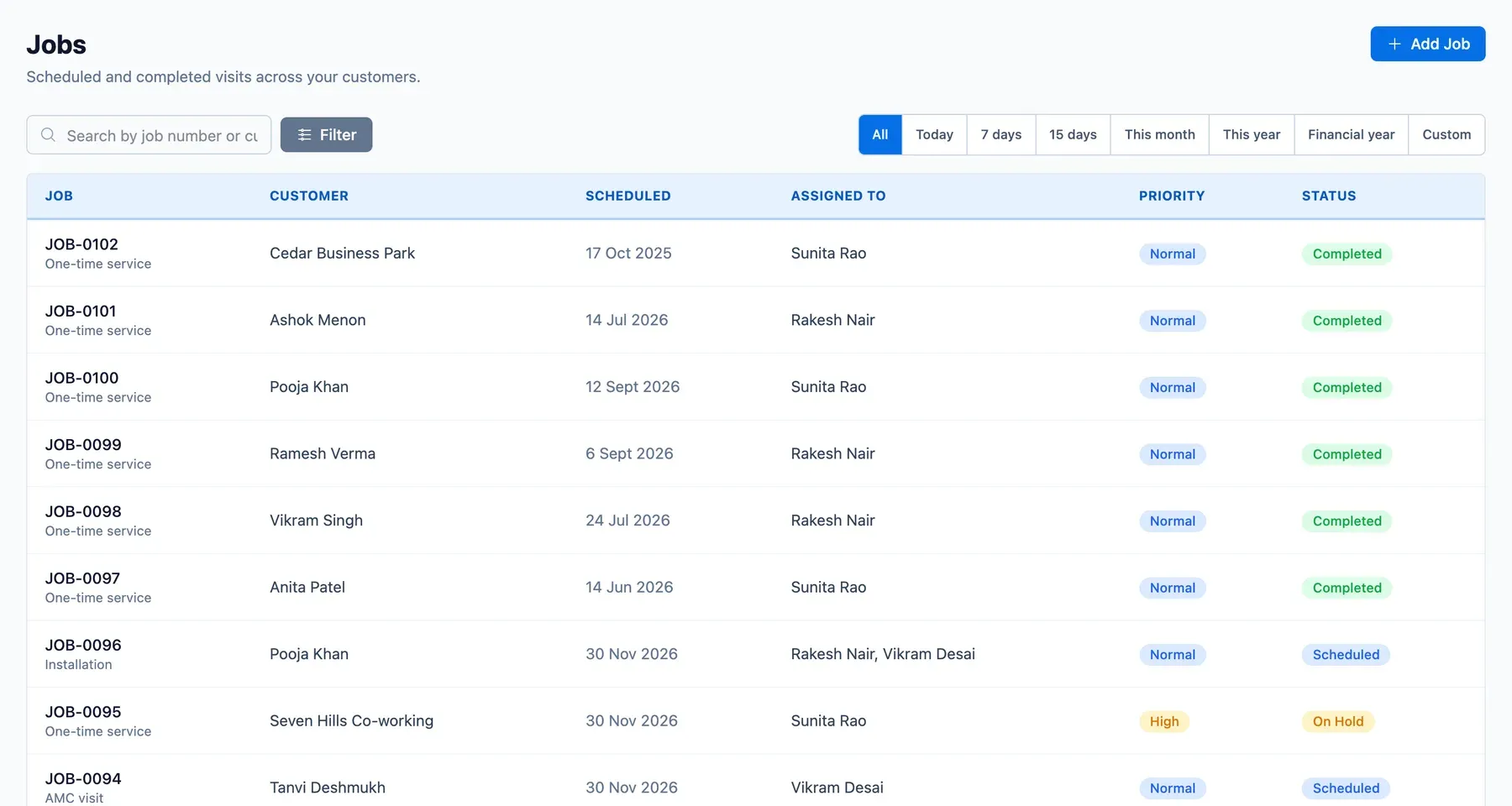
A service business sells one thing repeatedly: a technician at the right place at the right time. When the schedule lives in a diary and a WhatsApp group, the day goes wrong in small ways, a visit forgotten, two technicians sent to the same address, a customer who waited. ServicePilot gives every visit a record and a status.
Job scheduling software: from planned visit to completed job
- Planned: a future visit from a contract, waiting for a technician. This is the state a technician can claim from.
- Scheduled: a technician is assigned, whether by the office or by the technician taking the job.
- In Progress, On Hold, Completed: the visit as it happens.
- Cancelled, Rescheduled, No Access: what went wrong is recorded, not rubbed out.
Job types and the work done
Jobs carry a type, such as a routine service, a repair or an installation, the customer and site, and the services to be done. The job page shows the customer's equipment, the contract it belongs to and the notes, files and activity history. Checklists, photos and a customer signature captured on site appear on the job as read-only records, captured through the technician app.
Late assignment is normal
Technicians come and go, so a visit planned weeks ahead often has no one assigned until the day before. ServicePilot treats this as the normal case, not an exception. A job stays Planned until it is assigned, either by the office on the dispatch board or by a technician with permission taking an open job. Read more in technician tracking software.
How a visit moves through ServicePilot
- A job is created from a contract schedule or a service request.
- The coordinator assigns a technician or crew, and the job becomes Scheduled.
- The technician does the visit and the status moves to In Progress, then Completed.
- The office reviews the completed job and bills it.
- Feedback is collected from the customer, see customer feedback.
Illustrative example: a pest control team on a Saturday
A coordinator in Nagpur opens next week's jobs on Friday evening. Nineteen are Planned. She assigns fourteen, leaves five open for technicians to pick from the list, and moves one Rescheduled after the customer calls. On Saturday one customer is not home, so the technician marks the visit No Access and it returns to the list for rebooking.
Who it is for
Coordinators, branch managers and owners at businesses that run recurring and on-call visits, from pest control to electrical and plumbing.