

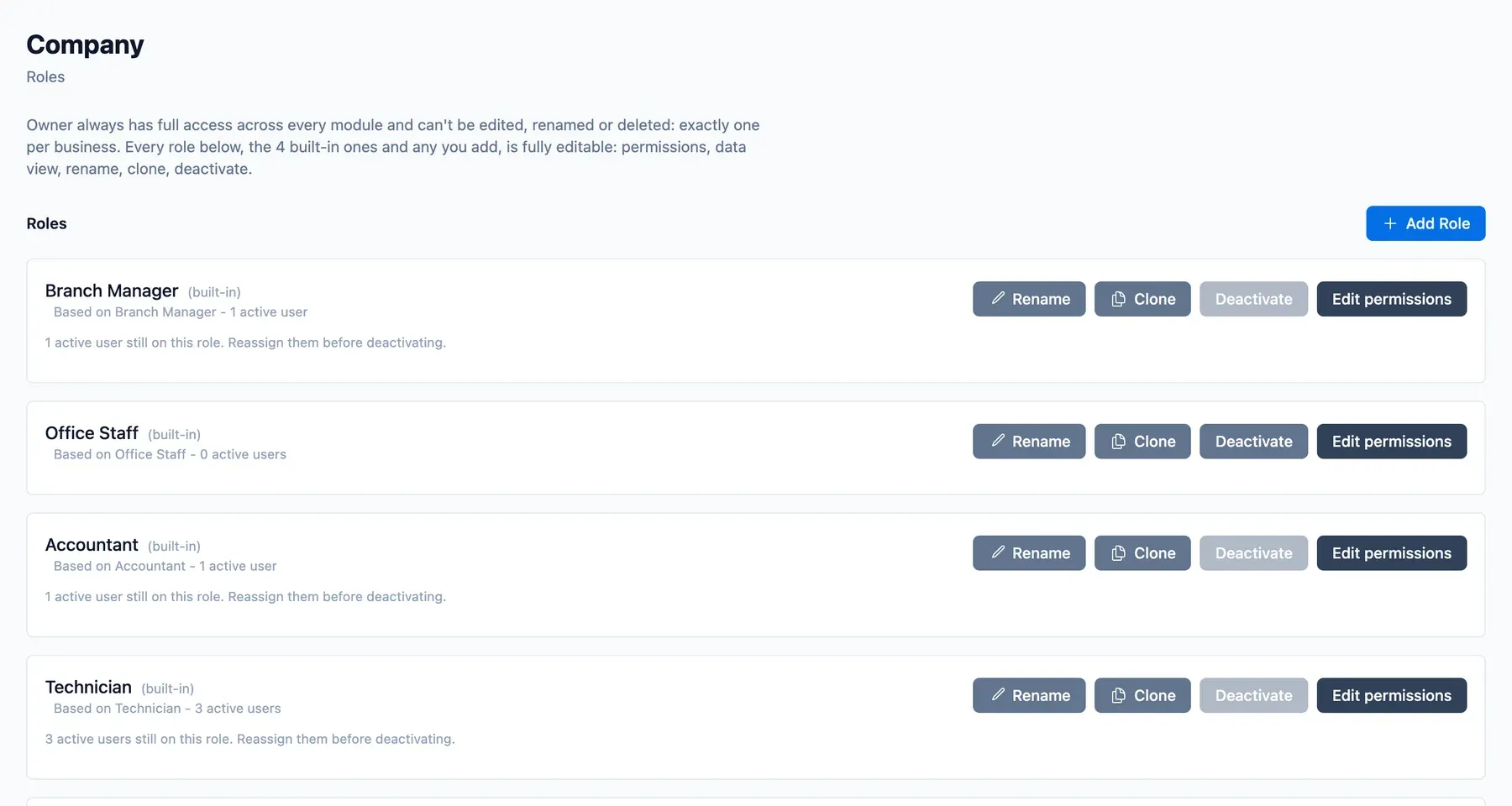
The moment a business has a second branch, three questions arrive: who can see what, who can approve what, and how does the owner see it all. ServicePilot answers each separately.
Branches
- Each branch has its own technicians, jobs and board.
- Owners can view all branches together or switch to one.
- Moving work between branches is controlled.
Roles and permissions
Five built-in roles cover most teams. On the Pro plan, owners can create their own roles and set what each can view or change, module by module. A reporting structure can show a manager their team's work.
Own records and financial access
Roles can be limited to records assigned to the person, to their team or branch, or opened to all they are permitted. Money views, such as outstanding amounts and payments, are hidden from roles without financial access.
Approvals
Pro adds approval workflows, so selected actions, such as an expense, wait for a manager.
Setting up a second branch
- Add the branch in settings.
- Assign managers and staff to it.
- Choose roles and, if needed, create custom ones.
- The owner views both branches together.
Illustrative example: a business with three cities
A pest control business with branches in Mumbai, Pune and Nashik gives each branch manager their own board and reports, while the owner switches between branches or sees all.
Who it is for
Owners with more than one location, and any team where not everyone should see everything.